


TickTick
Discover TickTick, an all-in-one productivity app for task management, calendar planning, habit tracking, and focus timers. Ideal for students, professionals, and teams.
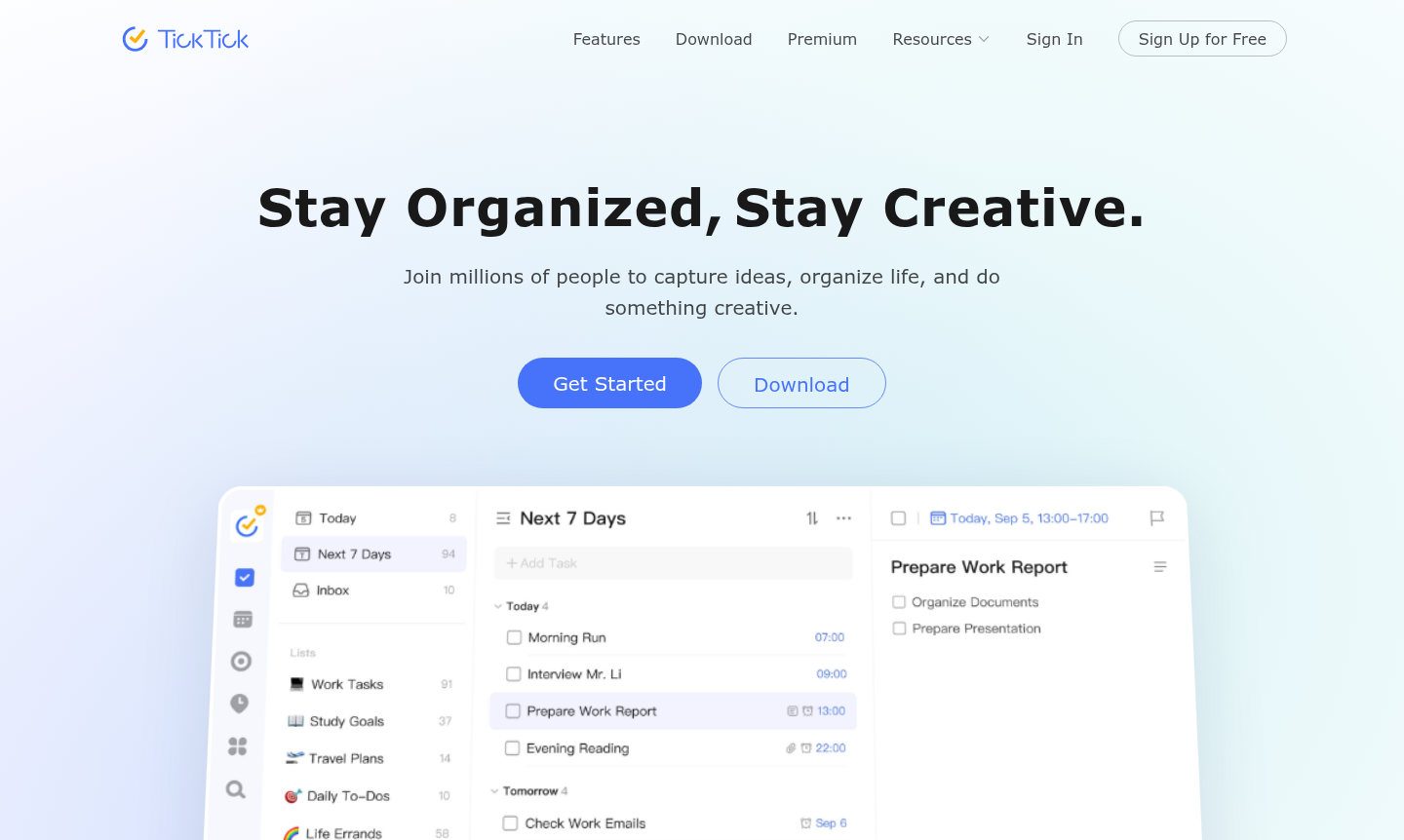
Overview of TickTick
TickTick is a comprehensive productivity and task management app designed to help millions of users capture ideas, organize their lives, and boost creativity. This all-in-one solution combines to-do lists, calendar views, habit tracking, and focus timers into a seamless experience that works across all your devices. Whether you're managing work projects, personal tasks, or study plans, TickTick provides the tools to confidently tackle everything in your life while maintaining a clean, intuitive interface praised by productivity enthusiasts.
Perfect for individuals, students, professionals, and teams, TickTick excels as a Task Manager and Calendar App that goes beyond basic organization. With features like the Eisenhower Matrix for prioritization, Kanban boards for visual workflow, and smart NLP recognition for automatic reminder setting, it addresses diverse productivity needs. The app's real-time sync ensures your tasks and schedules are always up-to-date whether you're on your phone, computer, tablet, or smartwatch, making it one of the best task management apps available today.
How to Use TickTick
Getting started with TickTick is straightforward: simply download the app on your preferred device and create an account. Begin by adding tasks using natural language input – the smart NLP feature automatically recognizes dates and sets reminders. Organize tasks into lists or projects, then view them in your preferred layout: daily agenda, weekly calendar, monthly overview, or Kanban board. Set up recurring tasks for regular responsibilities, use the Pomodoro timer for focused work sessions, and track habits through the dedicated habit tracker. Share lists with colleagues for collaboration, assign tasks, and integrate with other calendars to manage everything in one place.
Core Features of TickTick
- Comprehensive Task Management – Organize and prioritize tasks with lists, tags, and the Eisenhower Matrix for effective productivity.
- Flexible Calendar Views – Plan schedules with monthly, weekly, daily, and agenda views for clear visibility of busy and free intervals.
- Habit Tracking System – Build and maintain good habits using a rich library with flexible tracking options and progress statistics.
- Focus Timer with Pomodoro – Stay productive using the Pomodoro Technique with 25-minute focused intervals and break periods.
- Smart Collaboration Tools – Share lists, assign tasks, and improve teamwork with colleagues through seamless collaboration features.
Use Cases for TickTick
- Managing daily to-do lists for personal organization and work projects
- Students tracking assignments, study schedules, and academic deadlines
- Teams collaborating on projects with shared task lists and assignments
- Professionals planning weekly schedules with calendar integration
- Individuals building positive habits through consistent tracking
- Remote workers maintaining focus using Pomodoro timer sessions
- Anyone seeking an all-in-one productivity solution across all devices
Support and Contact
For support inquiries, visit the TickTick homepage for resources and contact options. You can also email contact@ticktick.com for assistance with task management, calendar features, or app functionality.
Company Info
TickTick is developed by a dedicated team focused on creating powerful yet intuitive productivity tools. While specific company location details aren't provided, the app has gained international recognition and is used by millions worldwide. For more information, visit the official website.
Login and Signup
To access TickTick, visit the main website to create an account or download the app from your device's app store. The platform offers seamless signup with email registration, and once logged in, you can immediately begin organizing tasks and tracking habits across synced devices.
TickTick Frequently Asked Questions
TickTick Reviews0 review
Would you recommend TickTick? Leave a comment